利用 Antigravity Tools 反代 Claude Code/OpenCode
Jan 14 ·
4 Min Read
Claude Code 配置
安装 Antigravity Manager
GitHub - lbjlaq/Antigravity-Manager: 为 Antigravity 提供一键无缝账号切换功能。
# 1. 订阅本仓库的 Tapbrew tap lbjlaq/antigravity-manager https://github.com/lbjlaq/Antigravity-Manager
# 2. 安装应用brew install --cask antigravity-tools
登录&打开「API反代」
- 登录
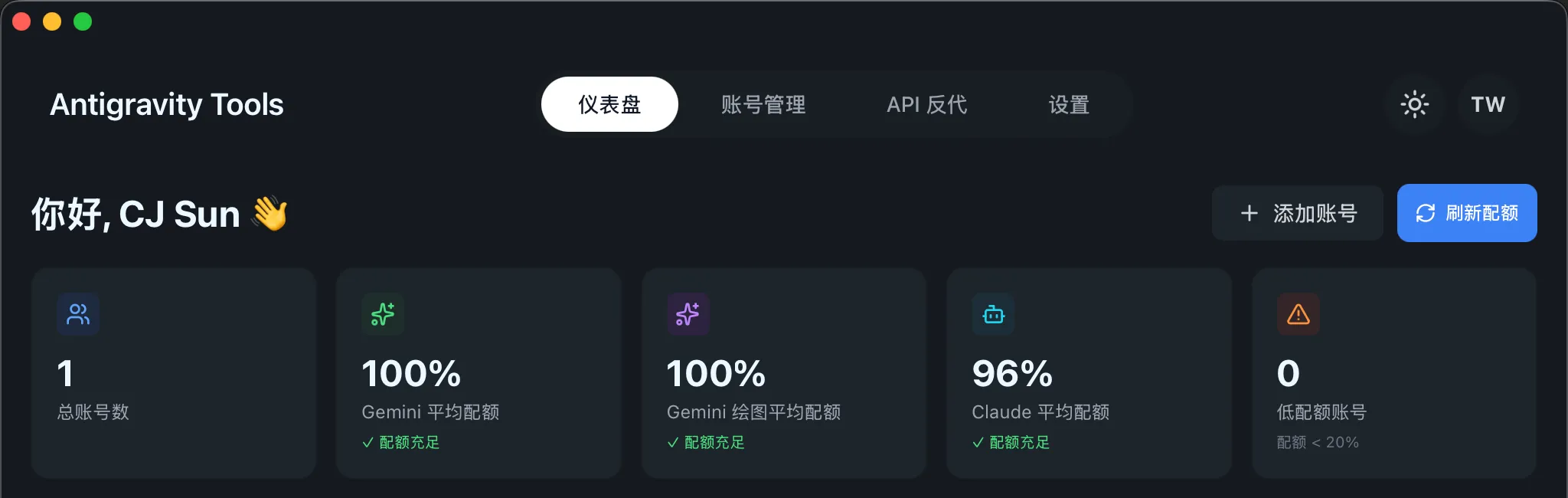
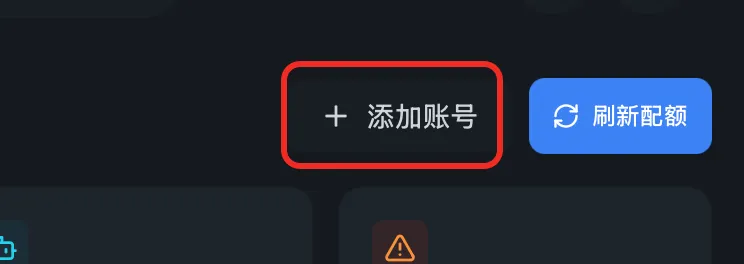 登录成功后:
- 打开「API反代」
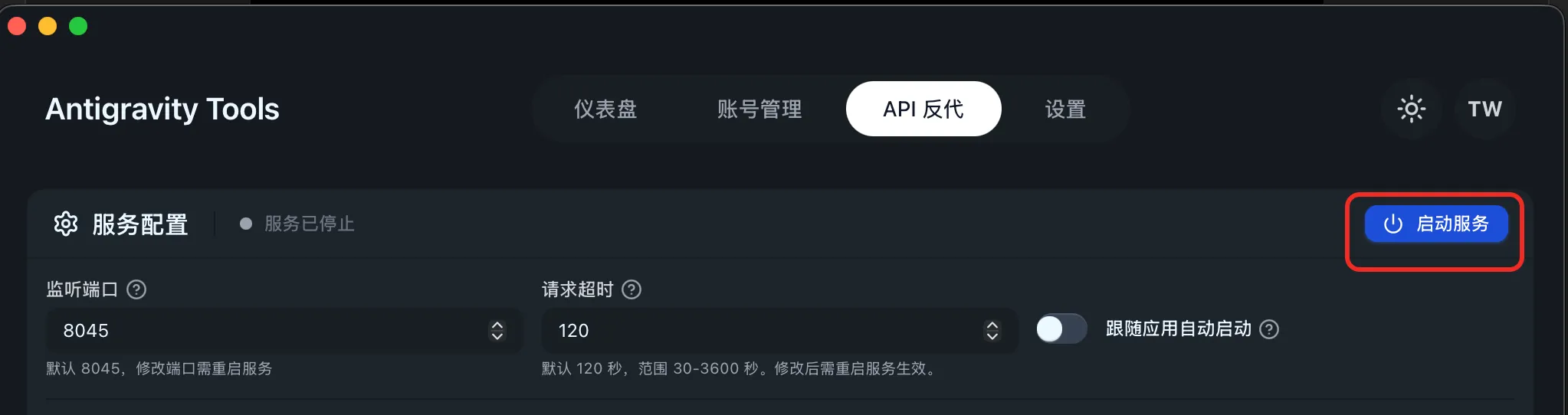 打开成功后:

Terminal环境&插件配置
ANTHROPIC_AUTH_TOKEN&ANTHROPIC_BASE_URL来源:
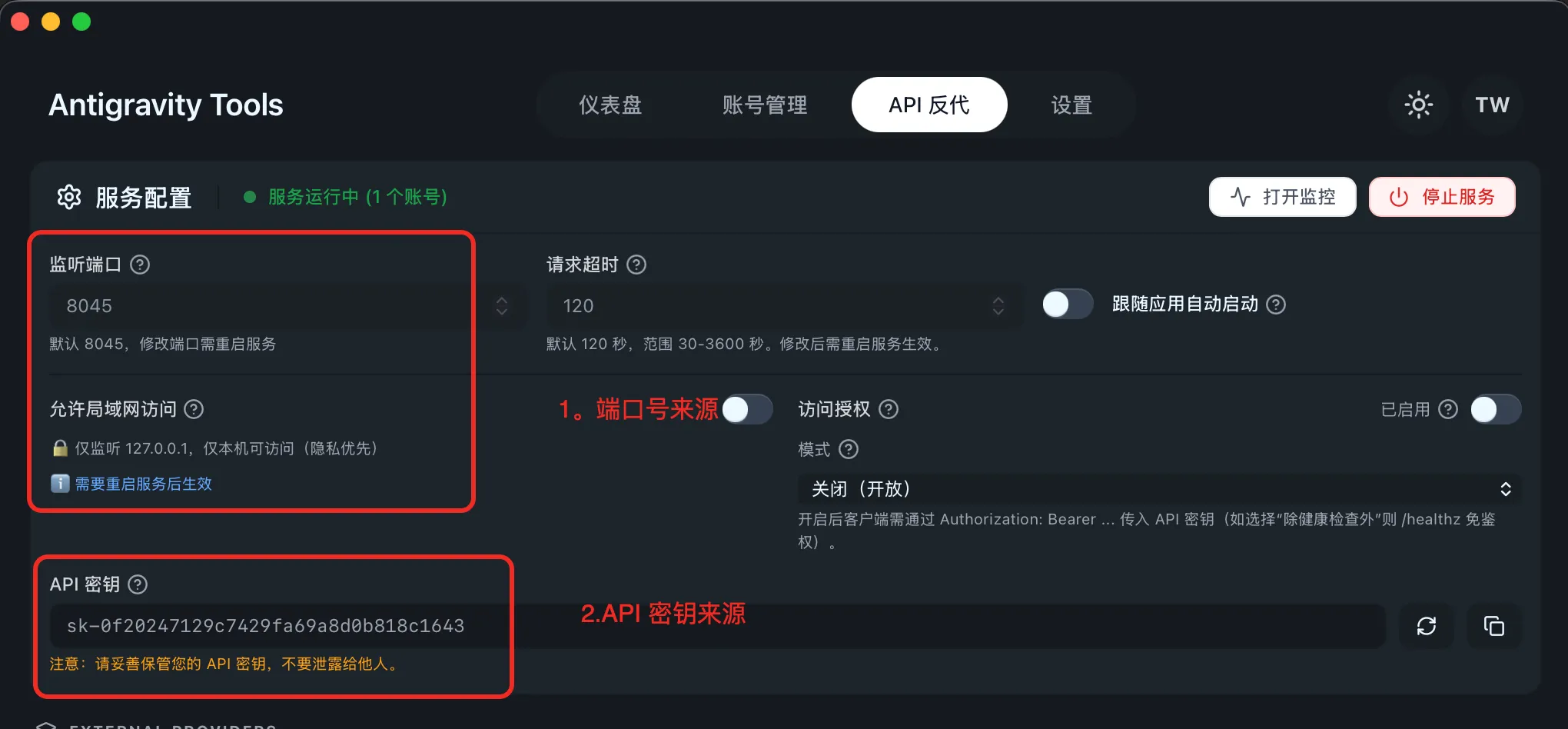
Terminal 环境
sk-… 根据实际来配置比如上图的 sk-0f20247129c7429fa69a8d0b818c1643 临时:
cd your-project-folderexport ANTHROPIC_AUTH_TOKEN=sk-...export ANTHROPIC_BASE_URL=http://localhost:8045claude全局:
echo -e '\n export ANTHROPIC_AUTH_TOKEN=sk-...' >> ~/.bash_profileecho -e '\n export ANTHROPIC_BASE_URL=http://localhost:8045' >> ~/.bash_profileecho -e '\n export ANTHROPIC_AUTH_TOKEN=sk-...' >> ~/.bashrcecho -e '\n export ANTHROPIC_BASE_URL=http://localhost:8045' >> ~/.bashrcecho -e '\n export ANTHROPIC_AUTH_TOKEN=sk-...' >> ~/.zshrcecho -e '\n export ANTHROPIC_BASE_URL=http://localhost:8045' >> ~/.zshrcVS Claude Code 插件配置
依次如图点击: 插件入口进设置:
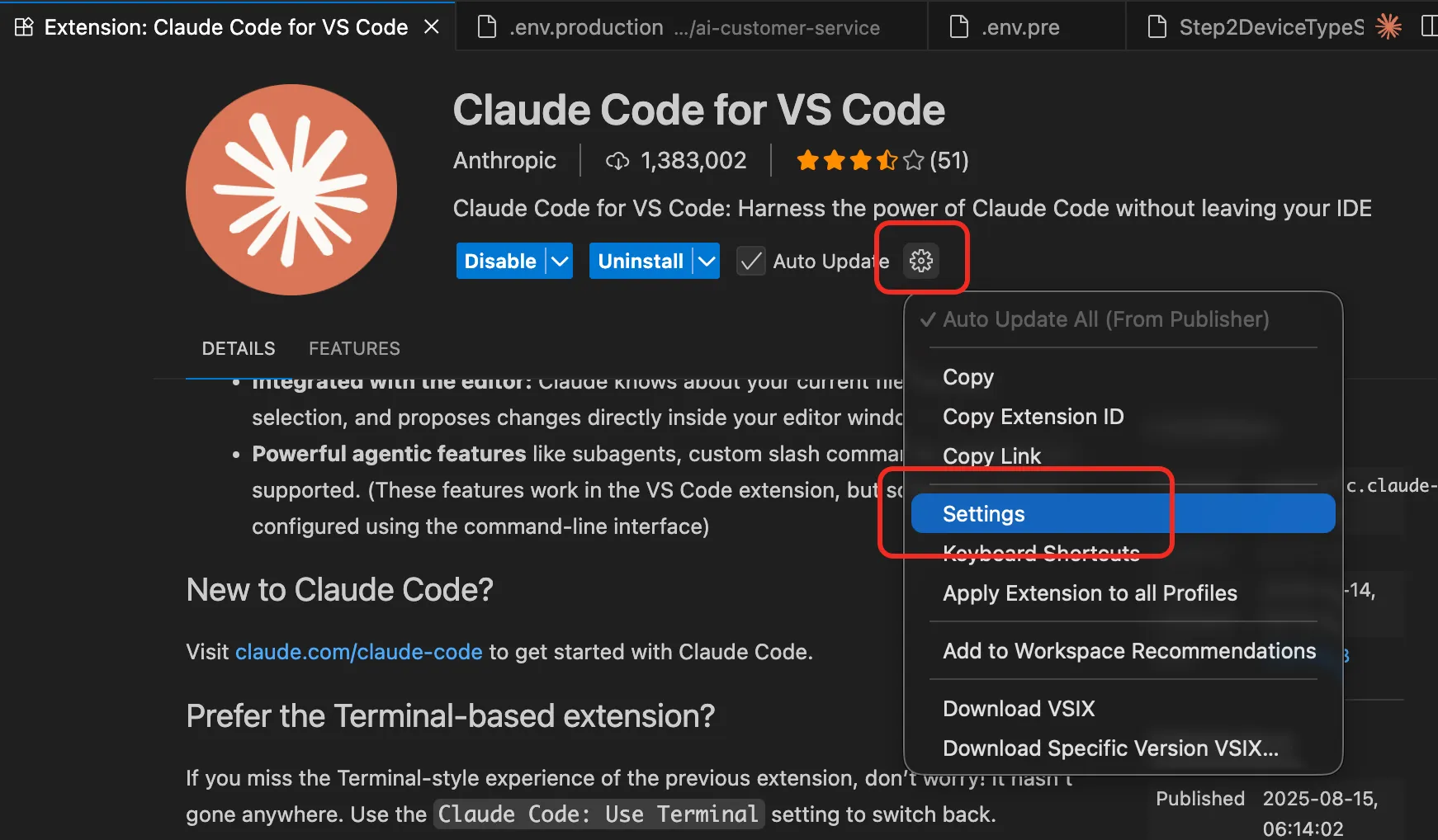
设置页进配置 json:
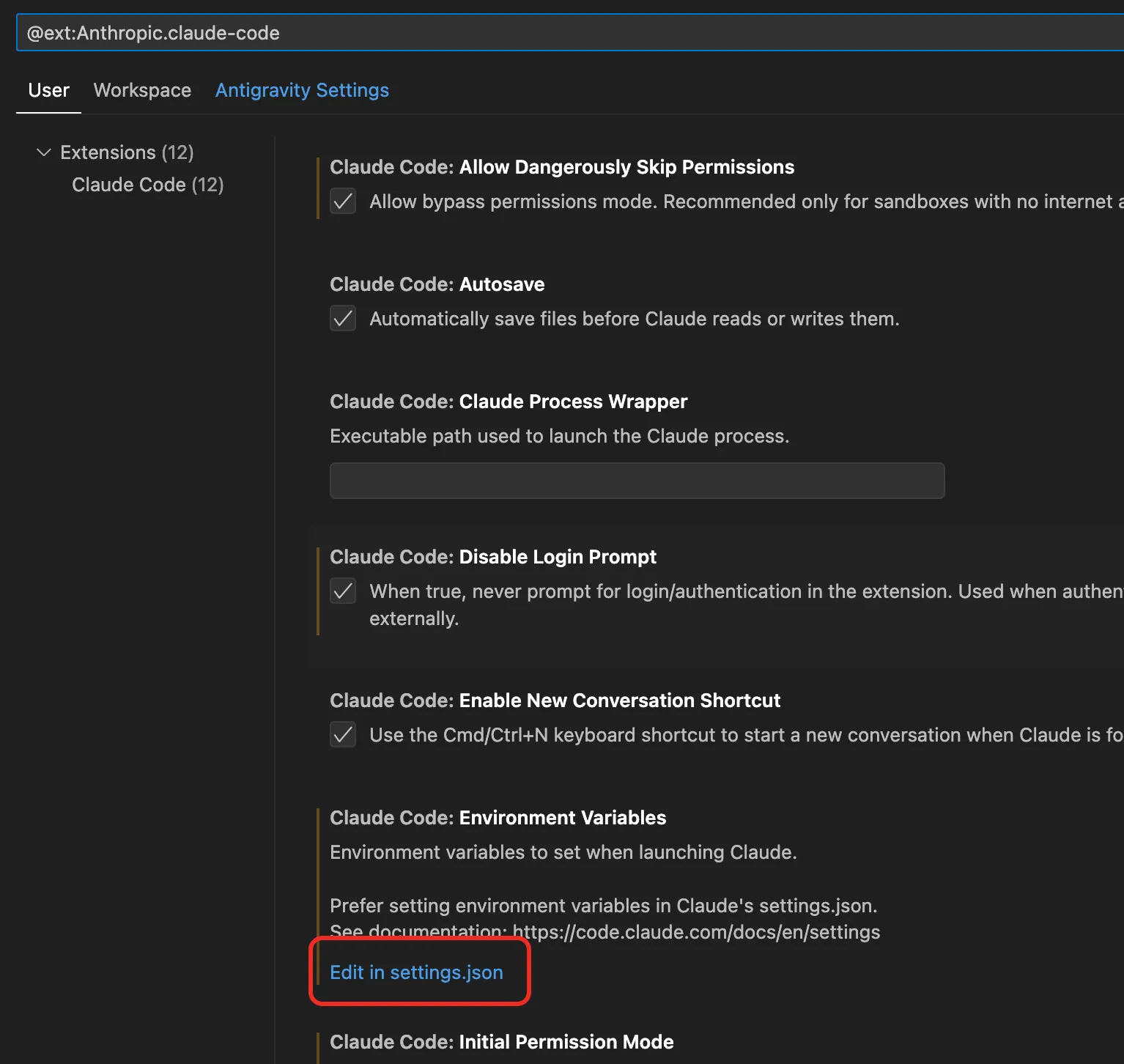
json配置关键的配置项:
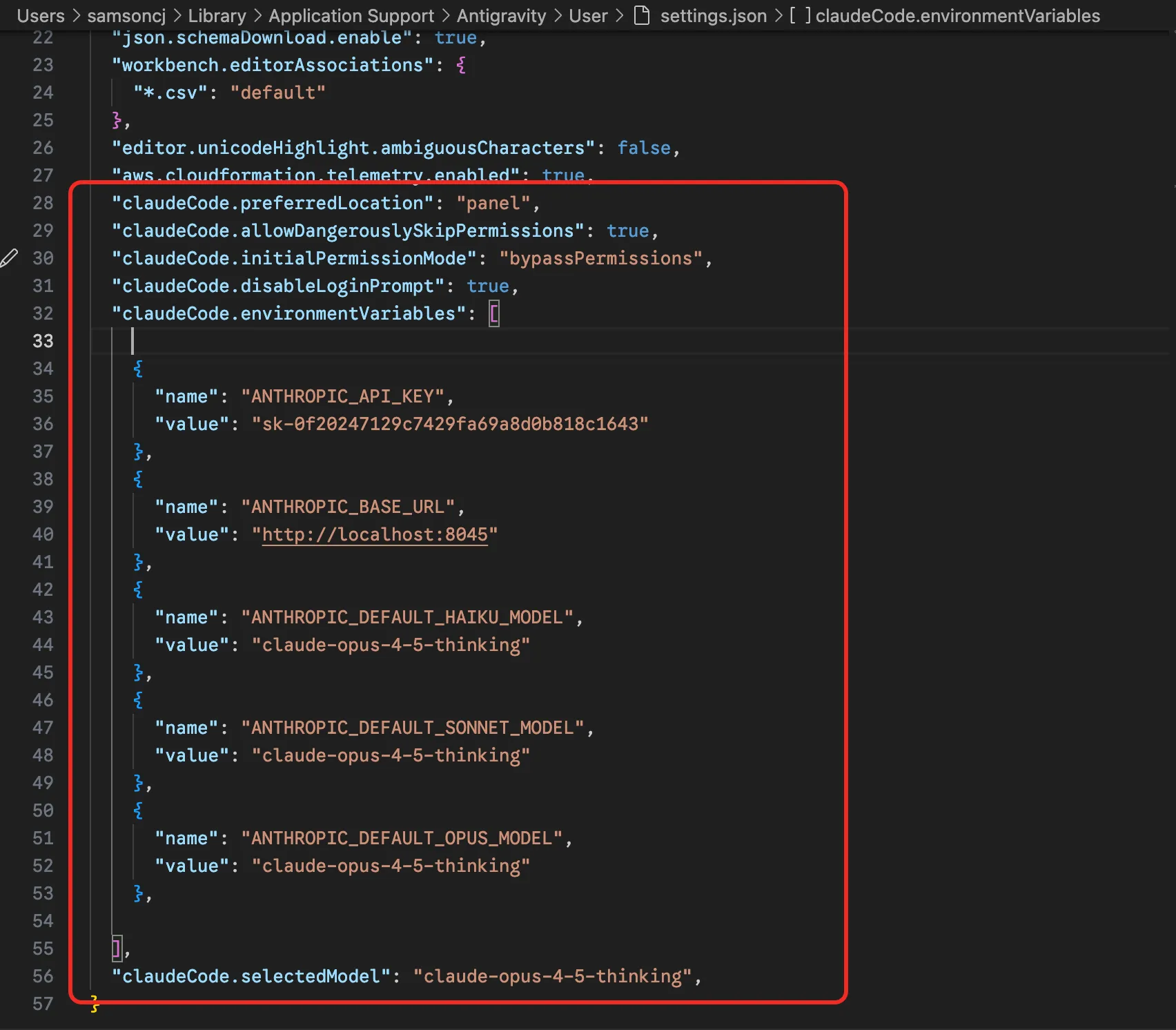
"claudeCode.preferredLocation": "panel",
"claudeCode.allowDangerouslySkipPermissions": true,
"claudeCode.initialPermissionMode": "bypassPermissions",
"claudeCode.disableLoginPrompt": true,
"claudeCode.environmentVariables": [
{
"name": "ANTHROPIC_API_KEY",
"value": "sk-0f20247129c7429fa69a8d0b818c1643"
},
{
"name": "ANTHROPIC_BASE_URL",
"value": "http://localhost:8045"
},
{
"name": "ANTHROPIC_DEFAULT_HAIKU_MODEL",
"value": "claude-opus-4-5-thinking"
},
{
"name": "ANTHROPIC_DEFAULT_SONNET_MODEL",
"value": "claude-opus-4-5-thinking"
},
{
"name": "ANTHROPIC_DEFAULT_OPUS_MODEL",
"value": "claude-opus-4-5-thinking"
},
],
"claudeCode.selectedModel": "claude-opus-4-5-thinking",
体验 Google 的 Opus 额度
claude 启动!!!
更新 OpenCode(oh-my-opencode) 配置
打开https://opencode.ai 安装自己喜欢的方式,安装OpenCode。
安装完成后在 ~/.config/opencode/opencode.json 调整配置:
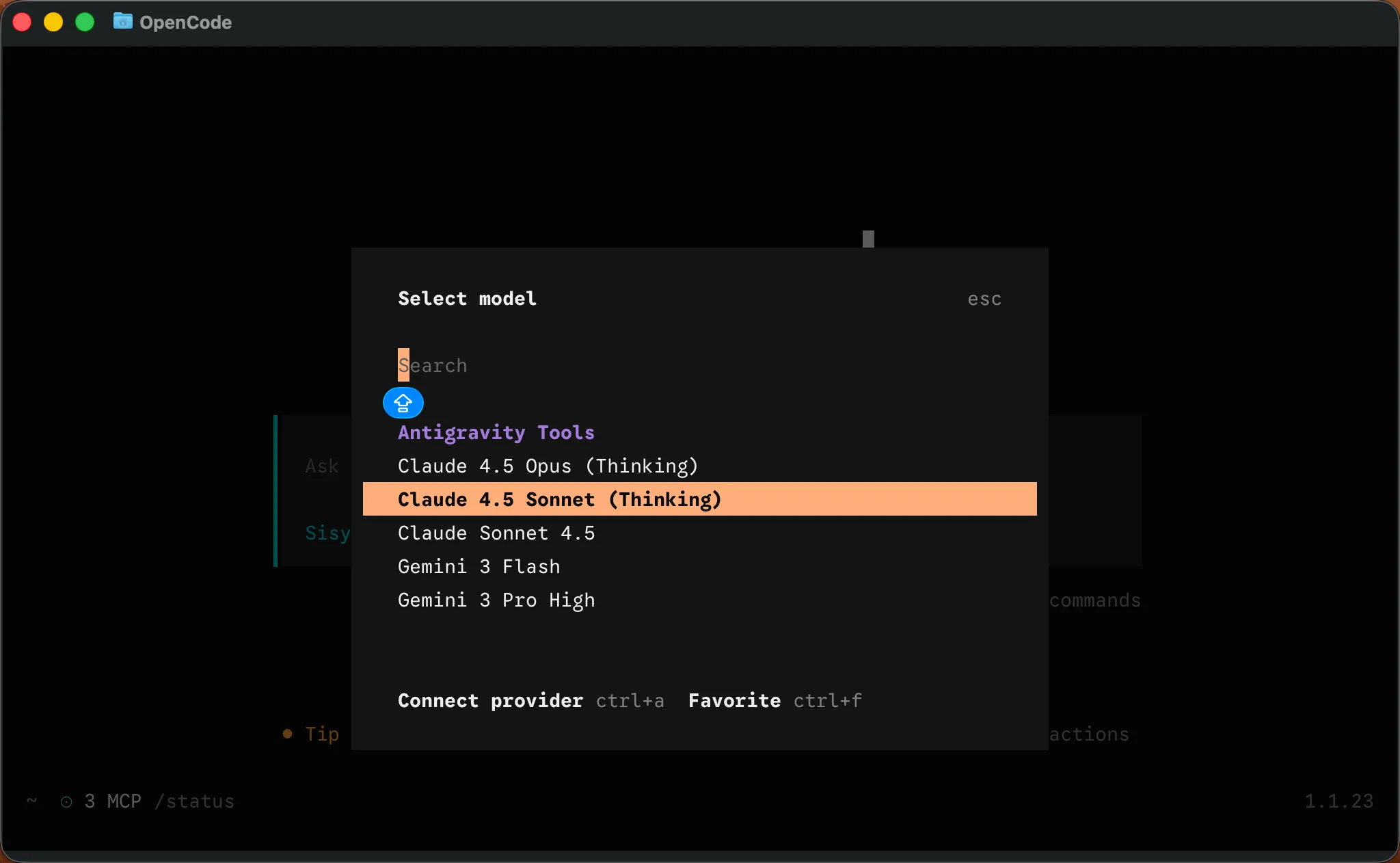
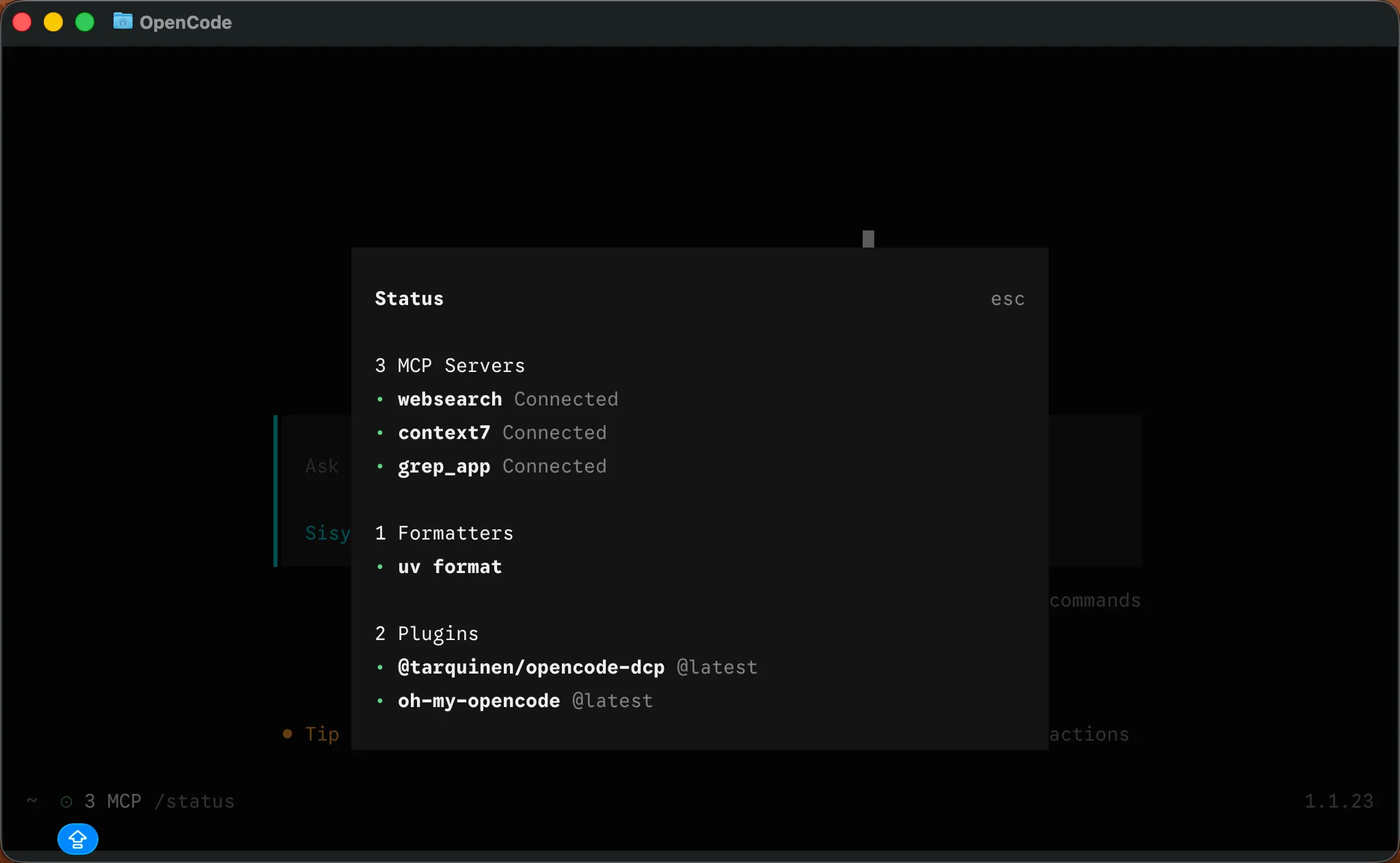
{ "plugin": [ "oh-my-opencode", // 瑞士军刀,多 Agent 编排 "@tarquinen/opencode-dcp@latest", // 动态上下文修剪 ], "provider": { "CLIProxyAPI": { "name": "Antigravity Tools", "options": { "baseURL": "http://127.0.0.1:8045/v1", // Antigravity Tools 配置的监听端口 "apiKey": "sk-0f20247129c7429fa69a8d0b818c1643" // Antigravity Tools 配置的 API 密钥 }, "models": { // Antigravity Tools 里的可用模型列表 "claude-sonnet-4.5": { // 代码推理 "name": "Claude Sonnet 4.5" }, "claude-sonnet-4-5-thinking": { // 思维链 "name": "Claude 4.5 Sonnet (Thinking)" }, "claude-opus-4-5-thinking": { // 最强思维 "name": "Claude 4.5 Opus (Thinking)" }, "gemini-3-pro-high": { // 最强推理 "name": "Gemini 3 Pro High", "limit": { "context": 1048576, "output": 65535 }, "modalities": { "input": [ "text", "image", "pdf" ], "output": [ "text" ] } }, "gemini-3-pro-low": { // 轻量极速 "name": "Gemini 3 Pro Low", "limit": { "context": 1048576, "output": 65535 }, "modalities": { "input": [ "text", "image", "pdf" ], "output": [ "text" ] } }, "gemini-3-flash": { // gemini-3-flash "name": "Gemini 3 Flash", "limit": { "context": 1048576, "output": 65536 }, "modalities": { "input": [ "text", "image", "pdf" ], "output": [ "text" ] } } } }, }, "$schema": "https://opencode.ai/config.json"}更新 oh-my-opencode 配置
打开同层级目录下的 ~/.config/opencode/oh-my-opencode.json
OpenCode 的 glm-4.7-free 不是很稳定,可以替换 OpenRouter中的免费模型或者直接其他你觉得更好的模型。
所有模型都可以自己做调整,我只是根据自己有的模型配置了一些。
{ "$schema": "https://raw.githubusercontent.com/code-yeongyu/oh-my-CLIProxyAPI/master/assets/oh-my-CLIProxyAPI.schema.json", "agents": { // 主编排器(西西弗斯):复杂任务规划、多步骤开发、代理协调 "Sisyphus": { "model": "CLIProxyAPI/gemini-3-pro-low" }, // 研究员:文档查找、开源研究、最佳实践 "librarian": { "model": "CLIProxyAPI/claude-opus-4-5-thinking" }, // 搜索专家:代码定位、依赖追踪、结构理解 "explore": { "model": "CLIProxyAPI/claude-opus-4-5-thinking" }, // 架构顾问(先知):架构决策、代码审查、技术选型 "oracle": { "model": "CLIProxyAPI/glm-4.7-free" }, // UI/UX 专家:界面设计实现、组件开发、动画 "frontend-ui-ux-engineer": { "model": "CLIProxyAPI/gemini-3-pro-high" }, // 文档专家:README、API 文档、架构文档 "document-writer": { "model": "CLIProxyAPI/glm-4.7-free" }, // 视觉分析师:图片/PDF/图表分析 "multimodal-looker": { "model": "CLIProxyAPI/gemini-3-flash" } }}使用 OpenCode

Last edited Apr 11